

Merry Christmas; my name is Manuel and run ManyProgramming! Today I will be doing a simple Christmas quiz that’s multiple-choice and obviously, I will show you how I did it. If you want me to send you the quiz then send me an email: programmingmany@gmail.com!
Firstly, we will very simply name a Turtle Graphics program. All you have to do to name it is type ‘turtle.title(‘Whatever_Your_Name_Is’); however, if you gave ‘import turtle’ a nickname then you need to use it before the ‘.title’. Lastly, for that matter, you can select your own name for the turtle graphics and it can include ANYTHING.
Secondly we will be using Turtle Graphics to design a Christmas Card which has writing on it. Because Turtle Graphics is a very simple graphical program so you would have to copy and paste if you want to have different parts e.g. defining different letters. What you will see below will only be two letters defined and all you have to do to define more letters is copy that and only change the letters (manually). For the full version will all letters download the file at the bottom of the blog (Above the ‘Merry Christmas’)
import turtle as t

FONT = ("Arial", 14)

Ans = str()

def a():
    global Ans
    Ans +='a'
    t.write(Ans[-1], move=True, font=FONT)

def b():
    global Ans
    Ans +='b'
    t.write(Ans[-1], move=True, font=FONT)

def A():
    global Ans
    Ans +='A'
    t.write(Ans[-1], move=True, font=FONT)

def B():
    global Ans
    Ans +='B'
    t.write(Ans[-1], move=True, font=FONT)

def space():
    global Ans
    Ans +=' '
    t.write(Ans[-1], move=True, font=FONT)

def end():
    t.bye()

def delete():
    global Ans
    if len(Ans) > 0:
        Ans = Ans[:-1]
        t.clear()
        t.goto(-200, 50)
        t.write(Ans, move=True, font=FONT)


def getKey():
    t.onkey(a,'a')
    t.onkey(b,'b')
    t.onkey(A,'A')
    t.onkey(B,'B')
    t.onkey(space, 'space')
    t.onkey(end,'Return')
    t.onkey(delete,'BackSpace')
    t.onkey(delete,'Delete')

#The Main Program
t.title('My Christmas Blog')
t.setup(width=500, height=200)   # window size is whatever you want
t.hideturtle()   # hide the arrow
t.tracer(False)  # switch off the drawing the lines
t.goto(-200, 50)  # this is your starting position
t.speed(0)  # drawing very quick
getKey()  # Get the inputs
t.listen()
t.mainloop()
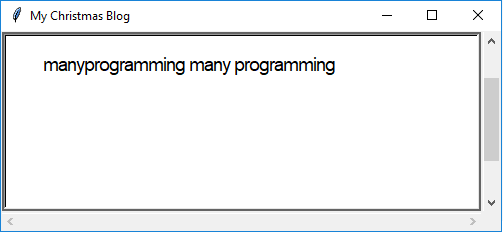
Lastly, the result of the input (The letters that you put in) is stored in the variable ‘Ans’. You can easily change the variable though.
Thank you for co-operating with this very hard blog and I hope you have a Very Merry Christmas! Also, if you would like to see my book reviews blog then Click Here!

 ManyProgramming™